Nothing stays hidden from Cypher. Not even your VALORANT Store.

Cypher's Laptop is a free Discord bot that keeps an eye on your VALORANT Store. Check it without launching the game, get a reminder when it resets, and spot the skins you've been waiting for.

Add to Discord

We never see your password.

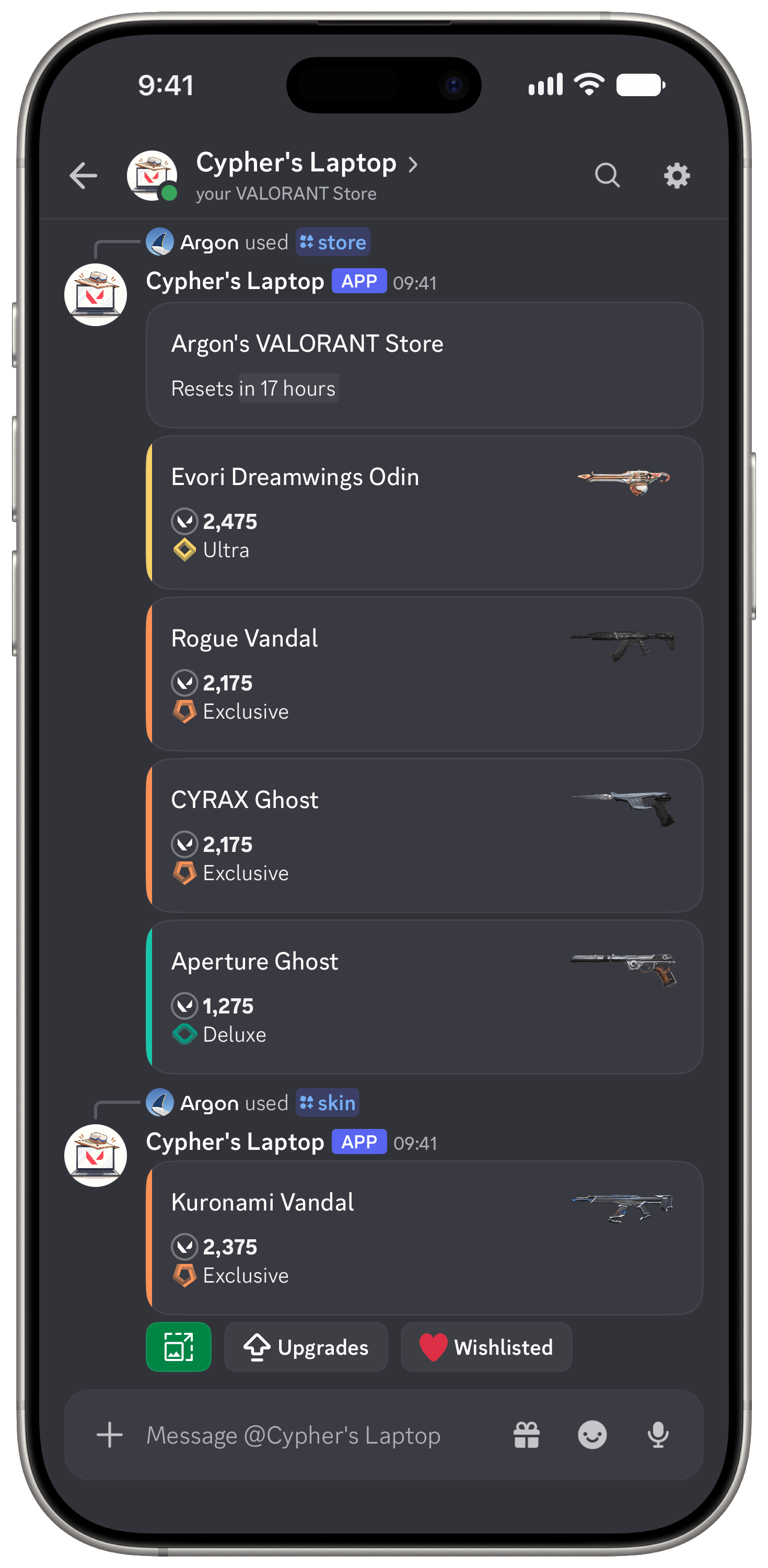
Cypher's Laptop showing a VALORANT Store and a skin lookup in Discord on a phone

What it keeps an eye on

Every day, VALORANT's Store offers four random skins to buy. Cypher's Laptop shows your Store in Discord, so you can see what's available without launching the game.

/store

Check your VALORANT Store in Discord

See today's 4 skins with their rarity tier, price in VALORANT Points and a countdown to the next reset. Pick a currency in settings to see an approximate real-money price too.
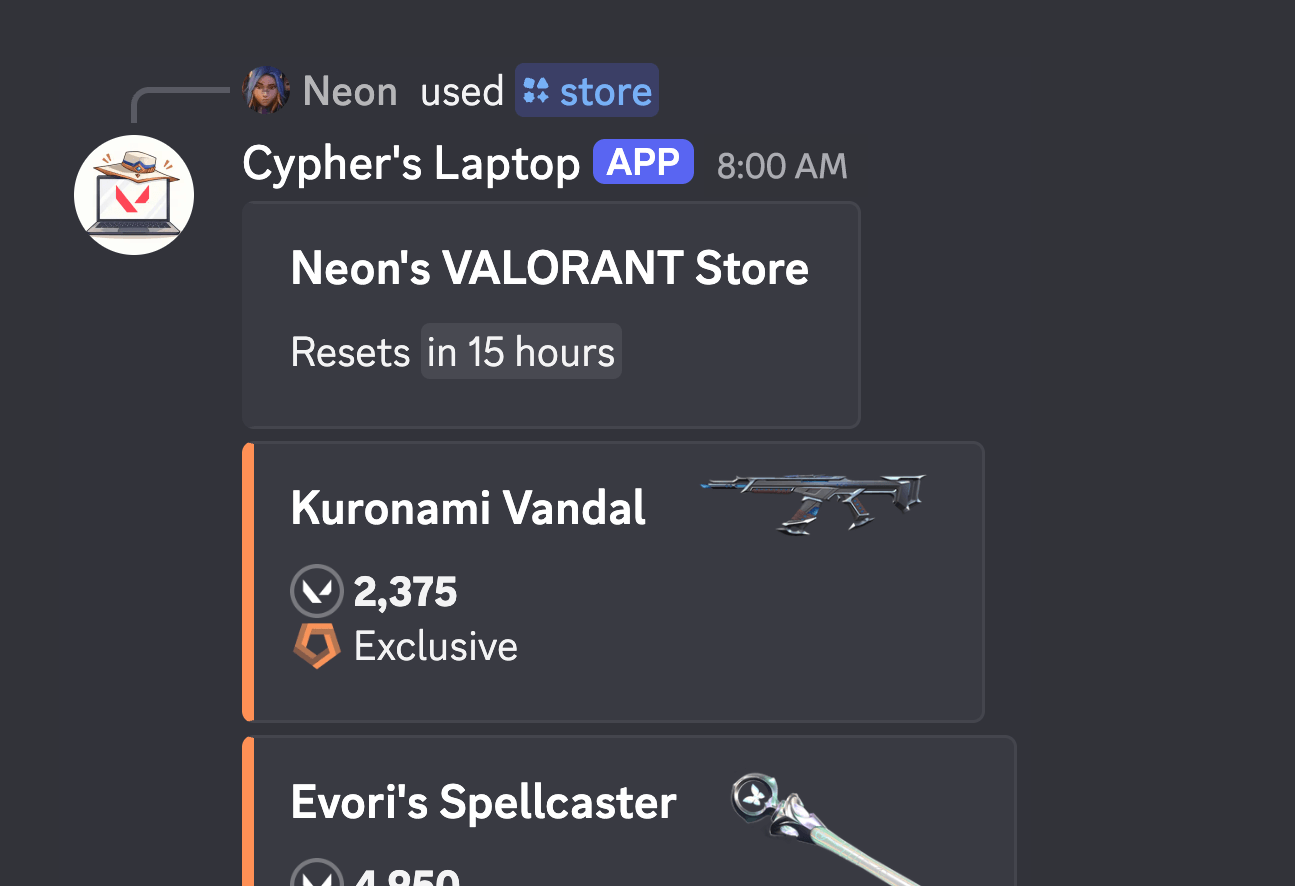
The /store command showing an Ion Karambit for 4,350 VP
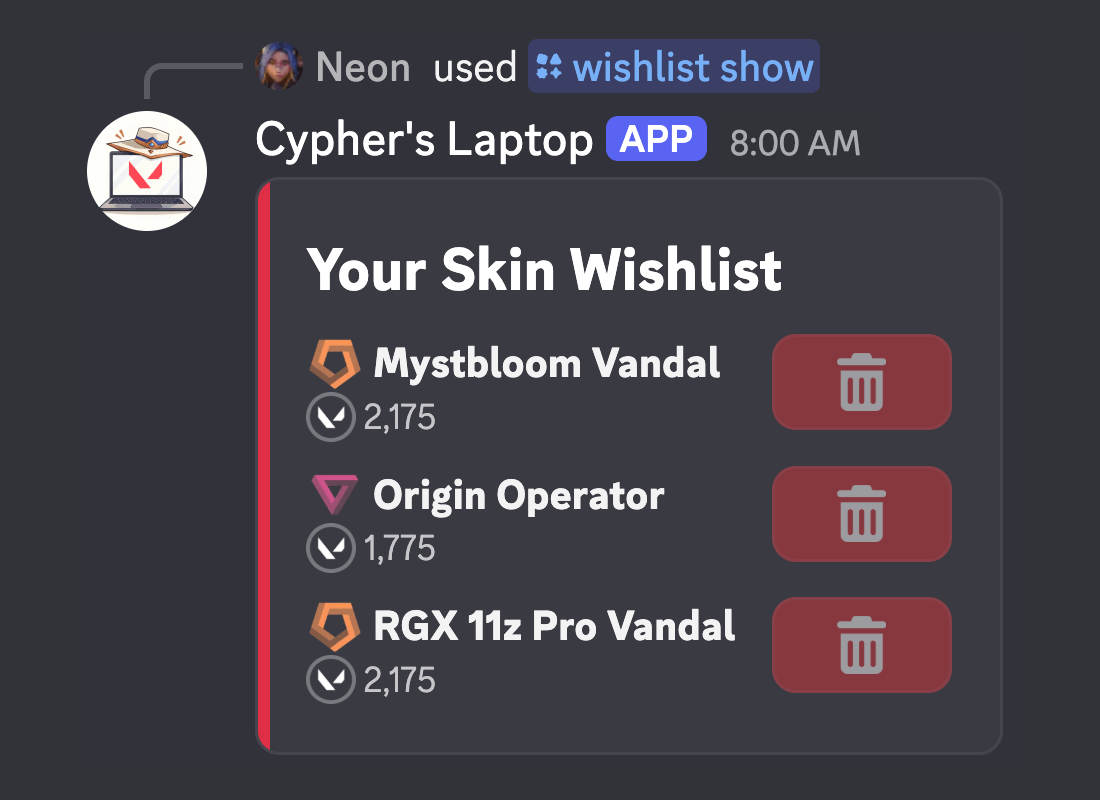
/wishlist add /wishlist show /wishlist remove

Wishlist the skins you want

Add skins by name, view your wishlist, and remove skins whenever you like. Wishlisted skins are highlighted whenever they show up in your Store or Night Market.

A wishlist with four skins on it
/reminders

Know on reset day if your skin is in

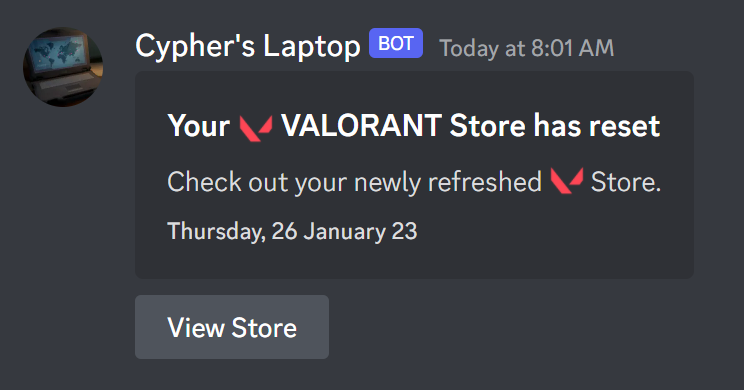
Get a direct message every time your Store resets. Wishlisted skins are highlighted in it, so you know straight away whether today is the day.

A reminder message saying your VALORANT Store has reset
/skin

Look up any weapon skin

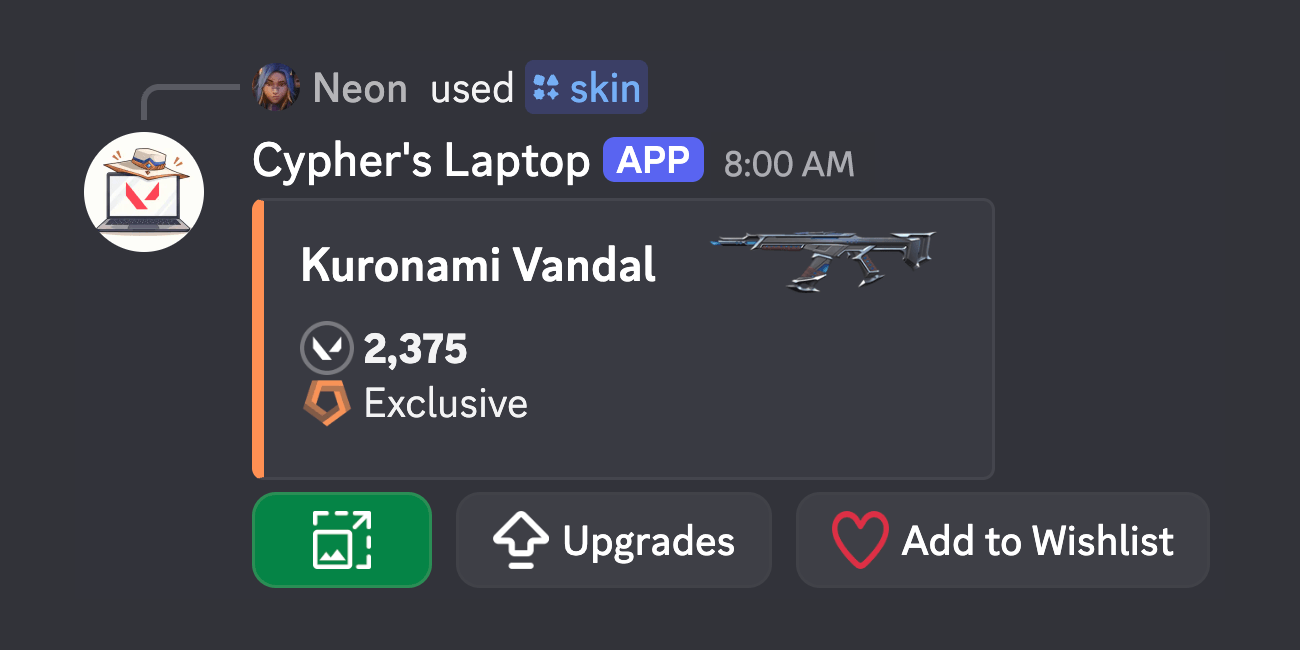
Search every VALORANT weapon skin by name to see its tier, price and upgrades. Gun Buddies, Sprays, Player Cards and Player Titles are searchable with /accessory. No Riot login needed, so anyone in your server can use it.

The /skin command showing the Spectrum Phantom

Also on the laptop

Night Market
When the Night Market is on, /night-market shows your deals with their discounts. Skins start hidden and you reveal them one at a time, like in the game.
Wallet balance
/balance shows how many VALORANT Points and Radianite Points you have.
Prices in your currency
Choose a currency in /settings to see approximate real-money prices next to VP.
Hide your username
Show your Discord name instead of your Riot username when you check your Store in public channels.

How to get started

  1. Add Cypher's Laptop to a Discord server, or open a direct message with it.
  2. Run /link and sign in on Riot's own page. You never give the bot your password, and your region is detected for you. Unlink and delete your login data at any time with /unlink.
  3. Run /store whenever you like, and turn on /reminders to get your Store when it resets.

Your Store resets every day

Add Cypher's Laptop to your server and see what's in it without launching the game.

Add to Discord